Soft- and Hardware development · 2026
Blitz & Donner
An interactive learning installation about thunderstorms, combining visuals, sound and physical interaction.
- Year
- 2026
- Role
- UX Design, Programming, Hardware, Illustrator
- Category
- Soft- and Hardware development
- Tools
- Arduino · Figma · Illustrator · Processing · ChatGPT
Introduction
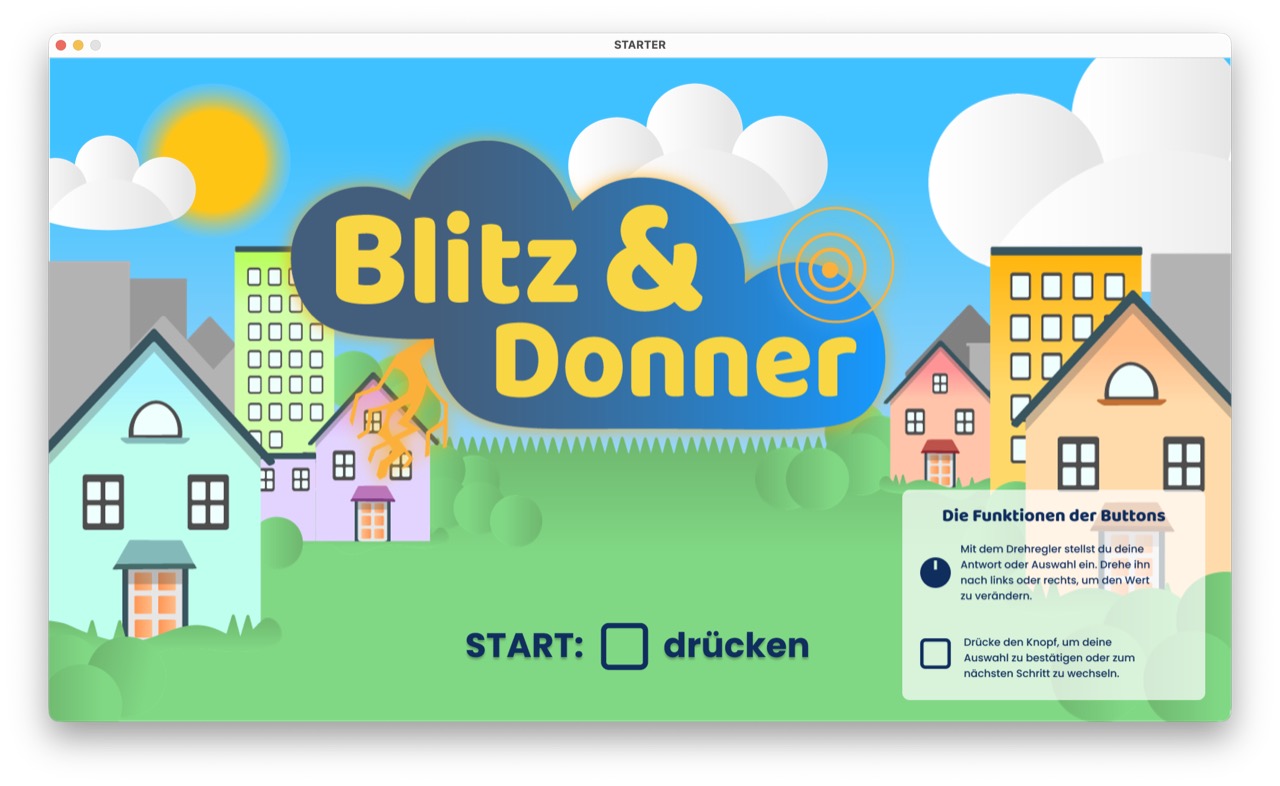
“Blitz & Donner” is an interactive learning installation about thunderstorms. The project was developed in the Interactive Tools course and designed for an exhibition context.
The goal was to make a scientific topic understandable through interaction, sound, visuals and a physical interface. Instead of explaining thunderstorms only through text, the installation lets users experience the connection between lightning, thunder, distance and safety behavior.
Context
The project focuses on children aged 9 to 14. At this age, basic scientific concepts are already introduced in school, but abstract physical processes can still be difficult to understand.
The installation explains how thunderstorms form, why lightning and thunder are perceived at different times and how people can protect themselves during a storm. The final submission included a physical box with Arduino hardware, Processing code and a project video.
Challenge
The main challenge was connecting a scientific explanation with an engaging interactive experience. The topic had to be understandable, but not too text-heavy or technical.
I also had to combine different layers: visual storytelling, sound design, physical input, Arduino communication and Processing animations. The interaction needed to feel intuitive, while the technical system had to stay stable.
My Role
I developed the project independently, from concept to final prototype.
My tasks included:
- defining the topic and learning goal
- creating the storyboard and interaction flow
- designing the visual style in Figma and Illustrator
- building the Processing application
- connecting Arduino input and output
- implementing button, potentiometer and LED interaction
- designing and constructing the physical box
- documenting the process and creating the final submission video
Process
The project started with the question of which scientific topic could be explained in a visual and interactive way. I chose thunderstorms because lightning and thunder naturally combine light, sound and time-based interaction.
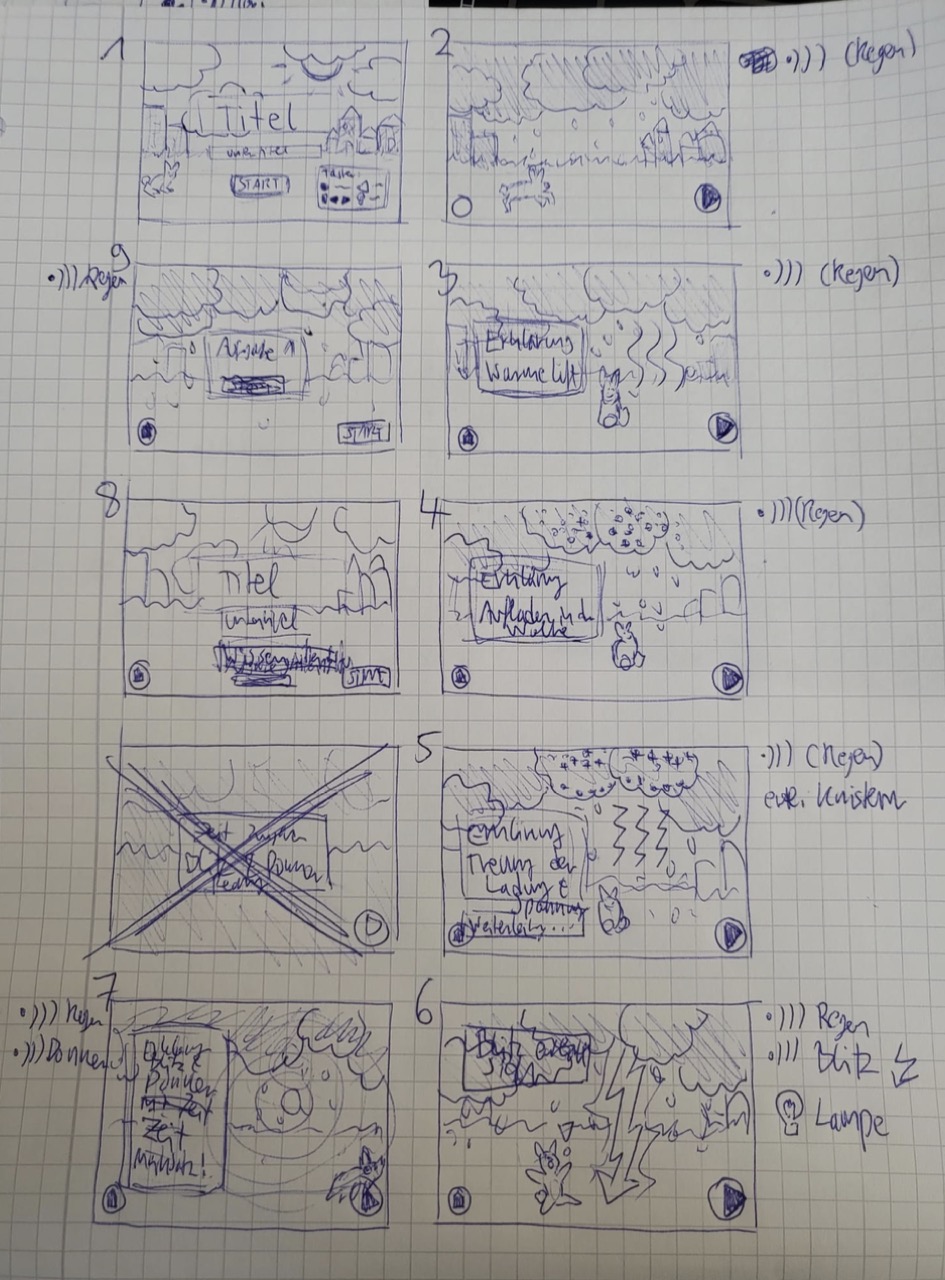
I first created hand-drawn storyboards to define the flow of the experience. The application is structured like a small story: the sky gets darker, rain starts, warm air rises, electrical charges separate, lightning appears and thunder follows with a delay.
Visual Design
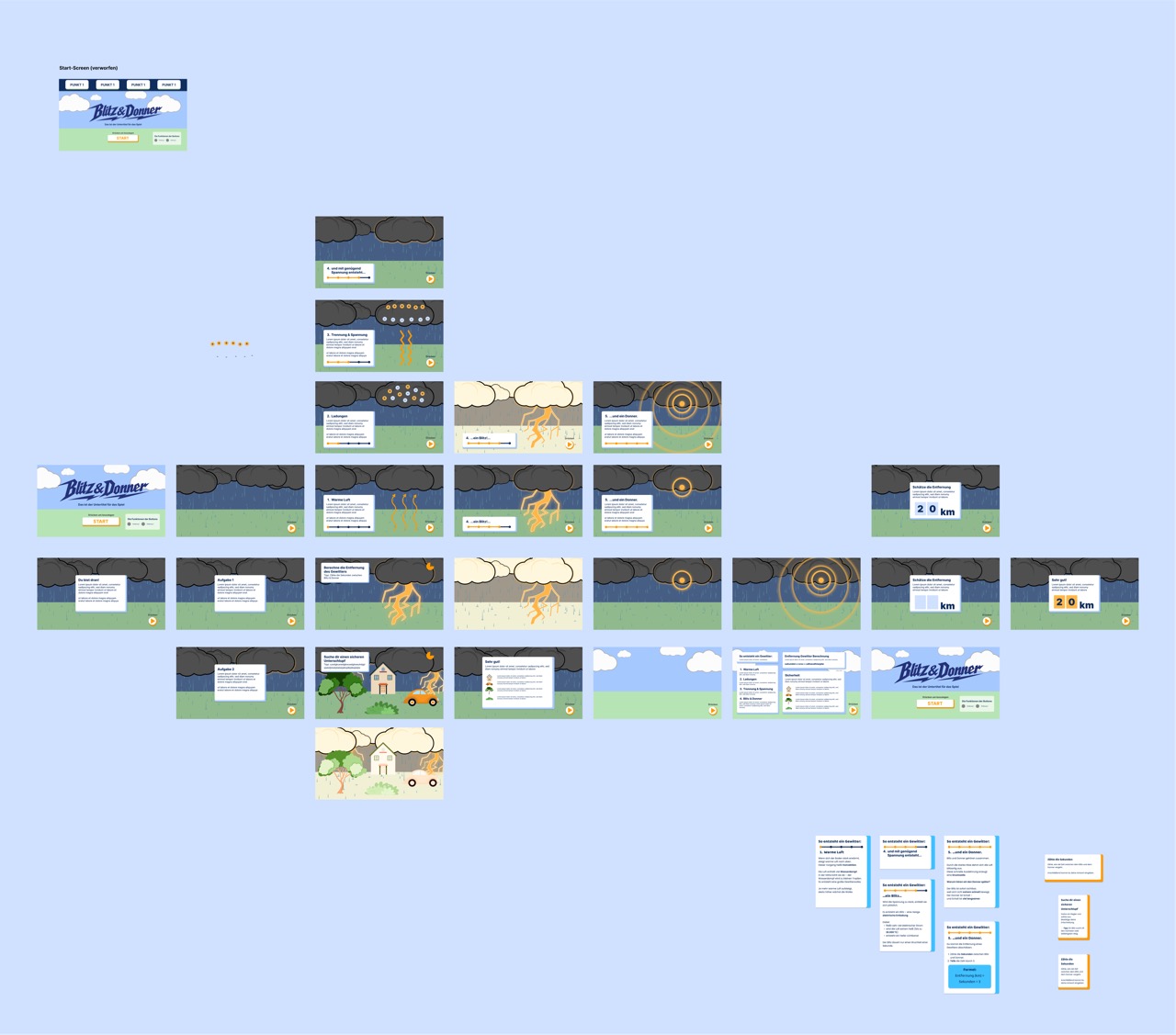
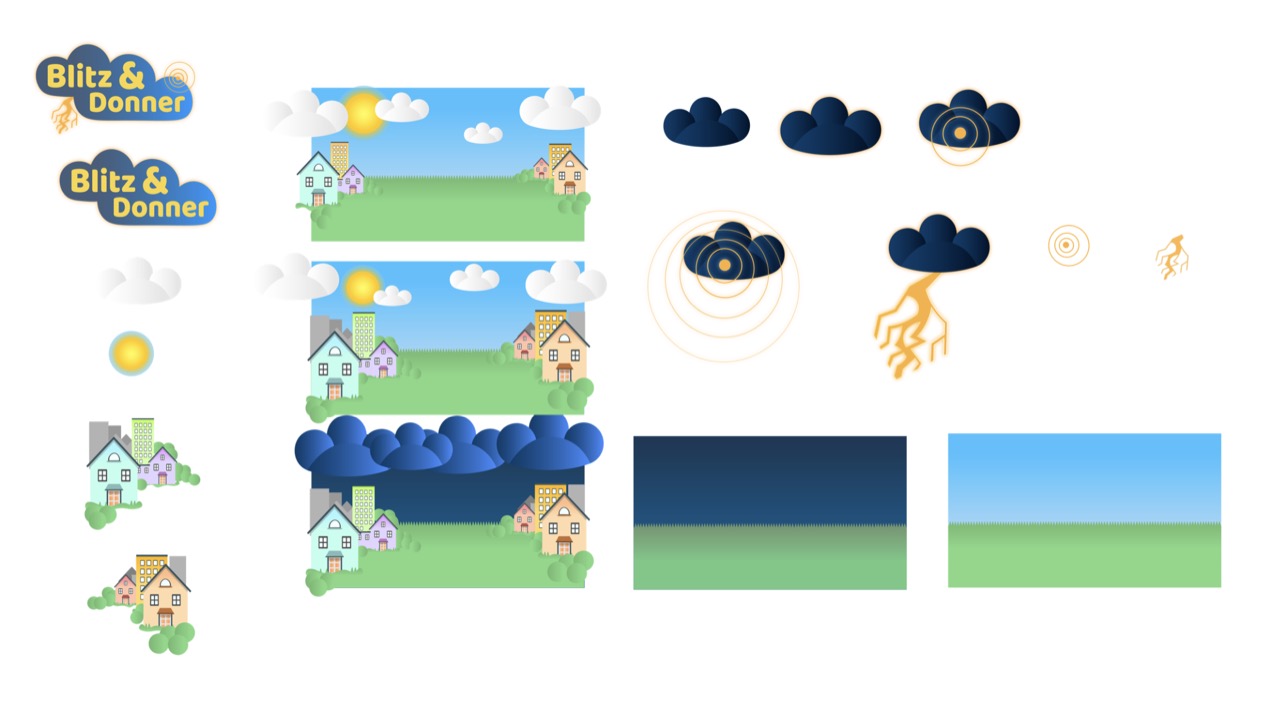
After the storyboard phase, I designed the screens and graphic elements in Figma and Illustrator. The visual style is friendly and playful, inspired by soft shapes and game-like learning environments. I wanted the installation to feel inviting rather than frightening.
Interface Elements
The visual language was consistently applied to all screens and assets, ensuring a unified and engaging experience for children.
Illustrations
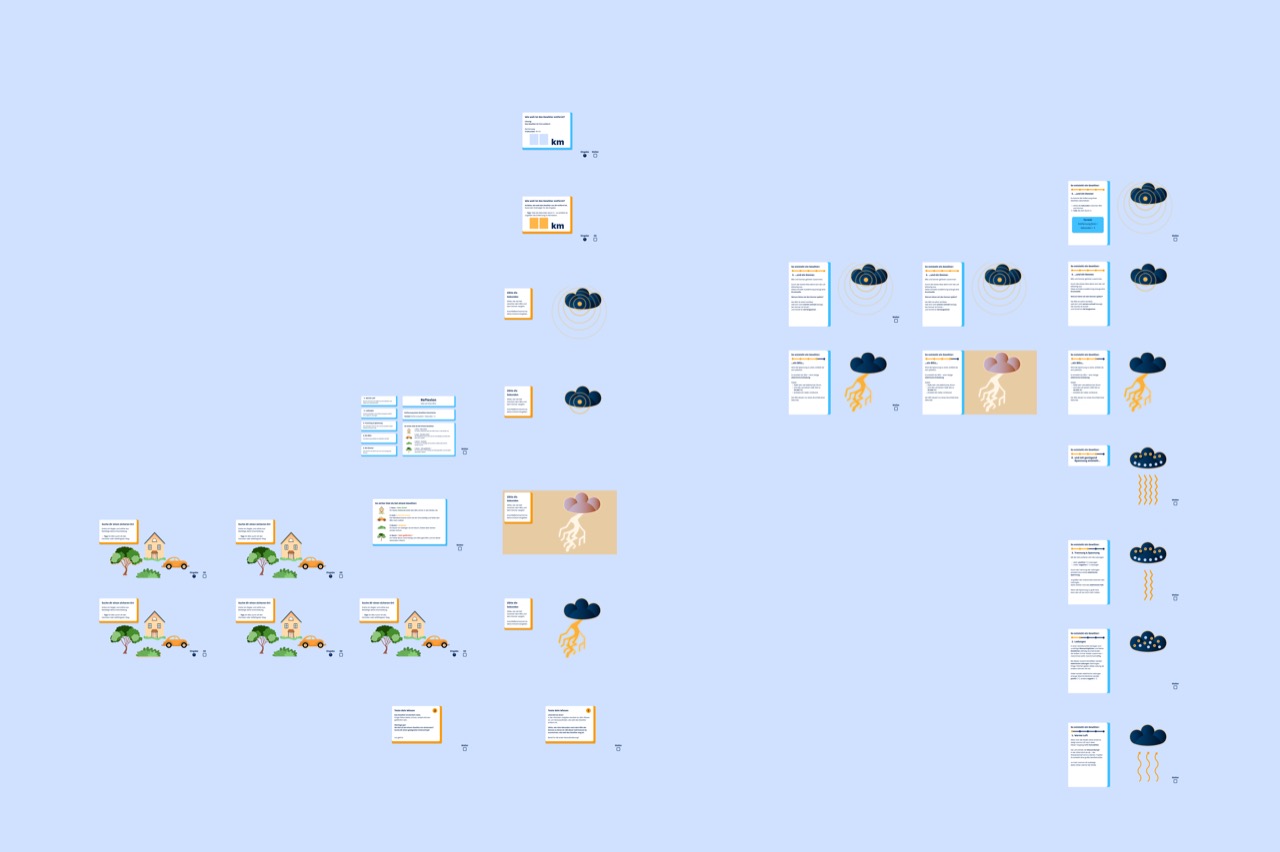
I created custom digital illustrations to explain the physical processes in a simple and visually appealing way.
Hardware Integration
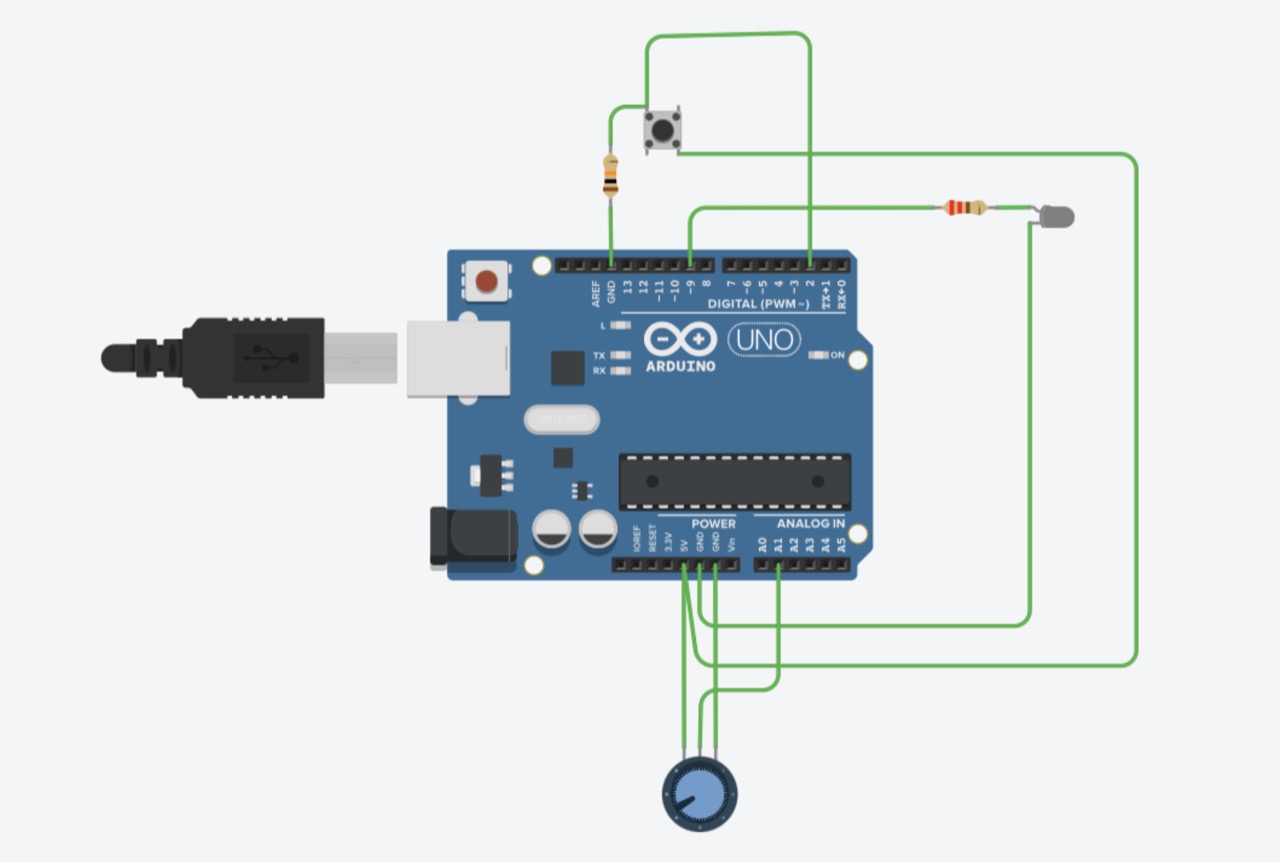
The technical implementation was built with Processing and Arduino. The button is used to move through the learning phases, the potentiometer allows users to enter values or choose options, and the LED gives physical feedback when lightning appears.
Outcome
The final result was an interactive Arduino-Processing installation presented as a physical box. It included a custom-built wooden housing, a designed cover, physical controls, LED feedback, sound effects, animated screens and a complete interactive learning flow.
The project combined digital storytelling with tangible interaction and showed how scientific content can be made more accessible through multisensory design.
Learnings
This project taught me how complex interactive installations can become when design, code and hardware have to work together. I learned how important clear structure is, both in the visual flow and in the code.
I gained experience with Processing, Arduino, serial communication, state-based screen logic, animation timing and physical prototyping. I also learned how to use AI as a support tool for code structure and debugging while still making my own design, concept and interaction decisions.